What is Cross-Posting?
When your question/post does not fit in only one category or if you want feedback from more than one specialty area, then you may want to post to multiple message board folders. We call this creating a cross-post.
- A post will be created in the secondary folder(s) and it will contain a link that refers the reader back to the original post.
- Links to all cross-posts will appear in the Discussion Tools at the bottom of the discussion.
How do I Cross-Post?
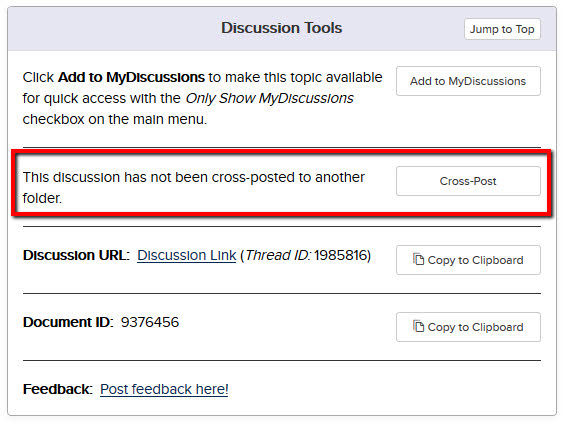
- After posting your original message, scroll down to the bottom of the discussion viewer page and look for the Discussion Tools section.
- Click the Cross-Post button on Discussion Tools.
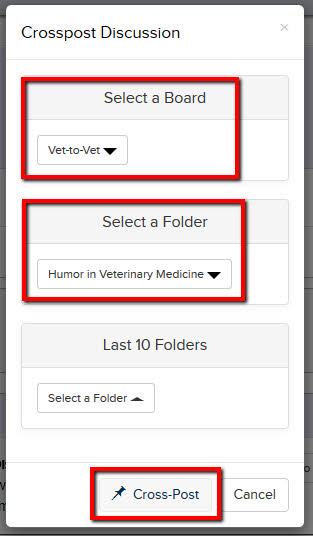
- A new window will pop up where you can select the Boards and Folder you want for your cross-post.
- The Last 10 Folders drop down will show you the last 10 folders you've cross-posted into.
- Click Cross-Post in the bottom right corner.
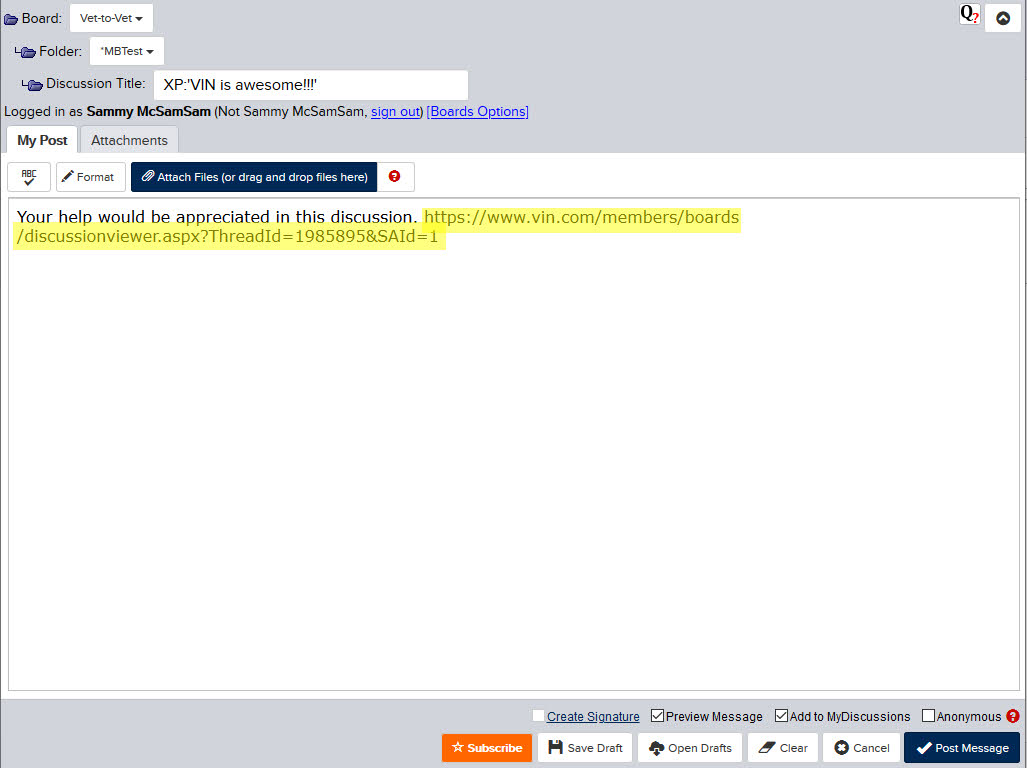
- After you click Cross-Post, a new discussion window will appear. You can modify the message at this point if you wish, don't change the pre-populated URL. It's a good idea to add a brief description of the reason for the cross-post.
- NOTE: Once you post the message, the URL text will then appear in the discussion window as a link. When someone visits the secondary folder and clicks on your link, they'll be redirected to your original post. This keeps all of the information about your case in one place.
| Tip: If you have changed your message board preferences to prevent Auto-Subscriptions, click the orange Subscribe button near the bottom left of your original discussion thread to be notified when responses are posted. Each time a response is posted, you'll receive an email at the preferred email address on your VIN membership record. |
For more detailed help with cross-posting, watch the help video.
Back to top