Uploading a video to a VIN message board discussion is as easy as adding an image!
Start a new discussion or post a reply to an existing discussion (Learn how).
- Click
 .
- Browse your computer to locate the video file you'd like to upload.
- Tip: If you don't see the file you want, select All Files in the drop-down menu located in the lower right-hand corner of the browsing window to see all the file types in that directory.
- When you locate the file, click to select it.
- Click Open.
- Note: You can also drag and drop the selected file into the Attach Files button.

- Now you can click Post Message as usual.
Make sure your file format is compatible
You do not have permission to view this document: [7443299]!
Make sure your file size is not too large
You do not have permission to view this document: [7443305]!
Post your message
- Once the upload has finished, enter a title (required) and a caption (optional).
- When you are finished, click the Post Message button.
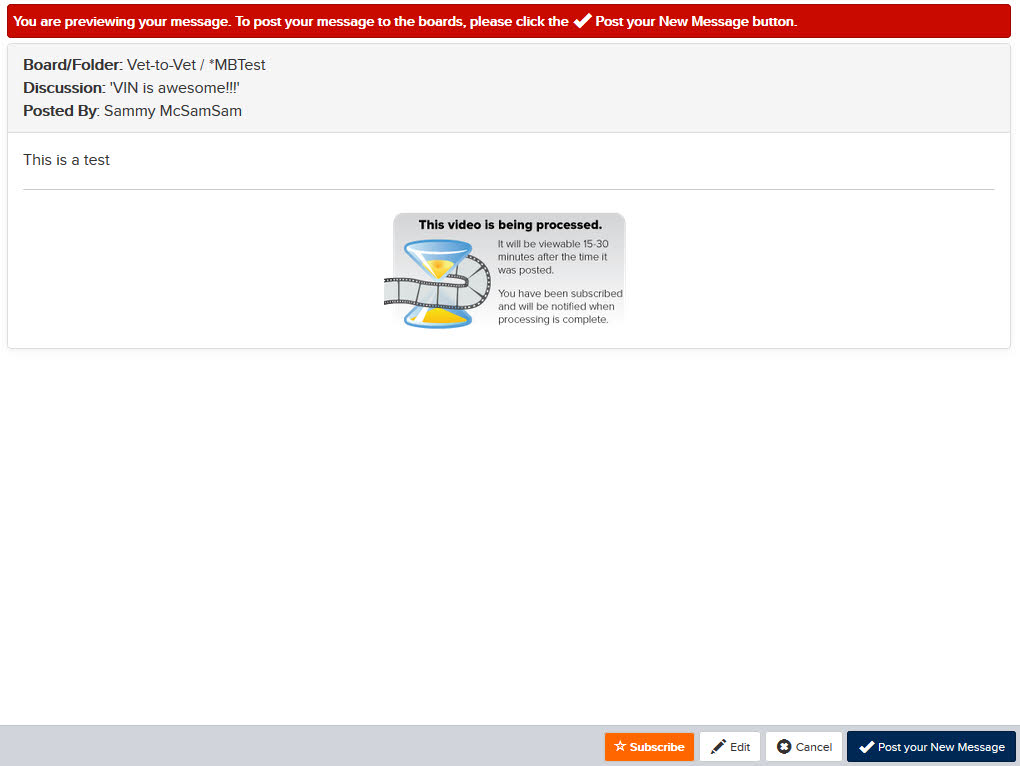
- If you have Preview Message checked, you will see a preview of your message. Click Post your New Message in that screen to finalize your post.
Please note: You cannot preview the video in the posting window by clicking on the icon as you would an image.
If you have any trouble with your video, please contact videos@vin.com
Wait for the system to finish processing
You do not have permission to view this document: [7443718]!
Can you upload my video for me?
You do not have permission to view this document: [7443340]!
Why should I upload my video to VIN instead of YouTube?
You do not have permission to view this document: [7443707]!